


Mobile App

Nbobet App – The best betting experience on Android & iOS, right in your hands

Download the official Nbobet mobile app and enjoy Sports Betting, Live Casino, and thousands of games anytime, anywhere. Fast, stable, and completely secure.

nbobet

Key Benefits of the Nbobet App

Why millions of users in Bangladesh choose the Nbobet app

Fast Loading

Optimized code means the app loads in seconds, even on a slow connection.

Secure Login

Fingerprint and PIN login are supported, keeping your account secure at all times.

Live Notifications

Get real-time updates on match starts, odds changes, and bonus offers sent directly to your phone.

Fullscreen Gaming

A full gaming experience on your mobile screen. Both landscape and portrait modes are supported.

Low Data Mode

The app runs smoothly even on low internet speeds, making it suitable for users in rural areas too.

Fully in Bengali

The entire app interface is in Bengali — from the menu to the support chat.

Auto Update

New features and security patches are applied automatically — no manual updates required.

In-App Support

Contact our support team via live chat directly in the app. Available 24 hours a day.

How to use it on each device

Access Nbobet on Android, iOS, or your browser — whichever works for you

nbobet

Android App Installation

Before Installation

Go to Settings > Security > Unknown Sources and enable the option. This allows third-party APK files to be installed.

1
Download APK

Download the latest Android APK file from the Nbobet download page.

2
Open the File

Go to your Downloads folder, tap the APK file, and grant installation permission.

3
Complete Installation

The installation process takes just 30 seconds. Once done, the Nbobet icon will appear on your home screen.

4
Log In and Enjoy

Open the app, log in with your ID and password, and you're ready to go.

Android APK Download
nbobet

iOS App Installation

For iPhone / iPad Users

Visit nbobet.vu in your Safari browser, then follow the steps below.

1
Open in Safari

Visit nbobet.vu on your iPhone or iPad using the Safari browser.

2
Tap the Share Button

Tap the share icon (the box with an arrow) at the bottom center of your screen.

3
Select "Add to Home Screen"

Scroll through the menu, find the "Add to Home Screen" option, and tap it.

4
Add to Home Screen

Confirm the name and tap the "Add" button. The Nbobet icon will then appear on your home screen.

View iOS Guide
nbobet

Use in Mobile Browser

Play without any download

Visit nbobet.vu from any smartphone browser to access the full range of services instantly.

  • Works with Chrome, Firefox, and Samsung Internet
  • No installation hassle — just browse and play
  • No phone storage used
  • All games and features are fully available in the browser as well
  • Login session is saved — no need to log in every time
Open in Browser

Technical App Details

Minimum device requirements to install the Nbobet app

Android System Requirements

Topic Minimum Requirements
Android VersionAndroid 6.0 or above
RAM2 GB RAM or more
Storage150 MB free space
Internet3G / 4G / Wi-Fi
File SizeApproximately 90 MB
Update MethodBoth Auto & Manual

iOS System Requirements

Topic Minimum Requirements
IOS VersionIOS 13.0 or above
DeviceIPhone 8 / iPad (6th gen) or newer
Storage100 MB free space
Internet3G / 4G / 5G / Wi-Fi
BrowserSafari 13+ supported
Update MethodAuto-refreshes in browser

About the Nbobet App

The smartphone has become an indispensable part of daily life in Bangladesh — from the moment people wake up to the moment they go to bed, everything runs through their phones. With this reality in mind, Nbobet has built a powerful mobile application. It's not just a mobile version of the website; it's a fully featured app designed from the ground up with mobile users in mind.

One of the biggest advantages of the Nbobet app is that it works equally well on both Android and iOS. Even older Android phones are supported — the app runs from Android 6 onwards. iPhone users can add the site to their Home Screen from Safari and enjoy a native app-like experience.

Sports Betting on Mobile

A cricket match is live and you're out of the house — maybe at work or on the go. With the Nbobet app, you can check live odds and place bets right then and there. The Sports section covers everything from Bangladesh cricket to the IPL, World Cup, and Premier League, all tracked in real time. Score updates, over-by-over run rates, wicket alerts — everything at your fingertips, as it happens.

In-play betting — placing bets while a match is in progress — is effortless on mobile. One tap opens the bet slip, enter your amount, and one more tap confirms it. It's fast enough to make decisions at the most critical moments of a match without missing a beat.

Live Casino on Mobile

Many people assume Live Casino is best on desktop — the Nbobet app proves otherwise. The Live Casino section streams HD-quality video directly to your phone screen. Baccarat, roulette, blackjack — every table is fully accessible from mobile.

There are dedicated tables for Bangladeshi players where you can chat in Bengali. Whether it's midnight or 5 in the morning, these tables are always active. Enjoying Nbobet's Live Casino experience on mobile is just as immersive as on desktop — and that's one of the app's biggest strengths.

Slots & Mini Games

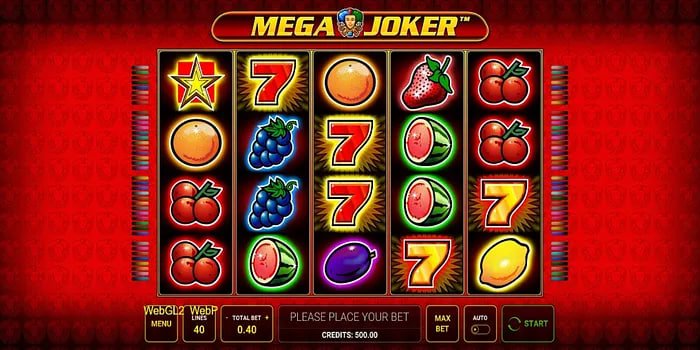
There's nothing quite like spinning slots on your phone during a commute or a lazy afternoon. The Nbobet app offers 5,000+ slot games that fit perfectly on any mobile screen. All the popular titles from Pragmatic Play, Habanero, and Microgaming are right here. Spinning the reels and selecting paylines with touch controls feels smooth and effortless.

There are also mini games that wrap up in just a few minutes — perfect for a quick session on a bus or train. Crash games, dice, color prediction — the app has plenty of simple yet exciting options like these.

Payments & Withdrawals on Mobile

You can deposit directly from the Nbobet app via mobile banking or bank card. The process is straightforward — go to the payment section, choose your method, enter the amount, and confirm. Your balance updates within minutes.

Withdrawals are just as easy from mobile. Select your preferred method, enter the amount, and submit the request. Funds typically arrive in your account within 15 minutes to 24 hours. VIP members receive even faster processing.

Security & Privacy

User security is a top priority in the Nbobet app. All data is transferred with SSL encryption. Biometric login (fingerprint or Face ID) means you never have to type your password again. Enabling two-factor authentication (2FA) keeps your account even more secure.

The app does not share your personal information with any third parties. Your transaction history, gaming records, and personal details remain completely private. For more details, please see our Privacy Policy Read.

Responsible Gaming — Mobile Settings

The Nbobet app includes dedicated responsible gaming settings. Daily deposit limits, session time reminders, and self-exclusion options are all accessible directly from the app settings. We believe entertainment is only enjoyable when it stays in control. For more information, visit our Responsible Gaming Page View.

Important Notice

The Nbobet app is intended for users aged 18 and above. Play responsibly and set your own limits.

Download Now

Download the Nbobet app and unlock a special bonus on your first login.

App Download Register
App Rating
4.7
10,000+ Reviews
5 ★
72%
4 ★
18%
3 ★
6%
1-2 ★
4%

Frequently Asked Questions

Answers to the most frequently asked questions about the Nbobet app

Yes, the Nbobet app is completely free to download. It's available at no charge on both Android and iOS. Simply create an account and get started.

The Nbobet app runs on any phone with Android 6.0 or higher. All you need is 2 GB of RAM and 150 MB of free storage. For the best performance, we recommend Android 9 or above.

No separate installation is needed on iPhone or iPad. Simply visit nbobet.vu in Safari and tap "Add to Home Screen" — an icon will appear on your home screen that works just like a native app.

Yes, everything available on the website is also available in the app — Sports Betting, Live Casino, slots, bingo, mini games — all fully accessible on mobile.

Most updates happen automatically. For major updates, you may need to download a new APK from the download page. You'll receive a notification from within the app when that's needed.

Yes, the Nbobet app and website share the same account. If you registered on the website, you can log in to the app with the same username and password. Your balance and history are fully synchronized.

There are no extra charges for using the Nbobet app. The same deposit, withdrawal, and gaming rules that apply on the website apply here too. You are only responsible for your own mobile data costs.
বাংলা